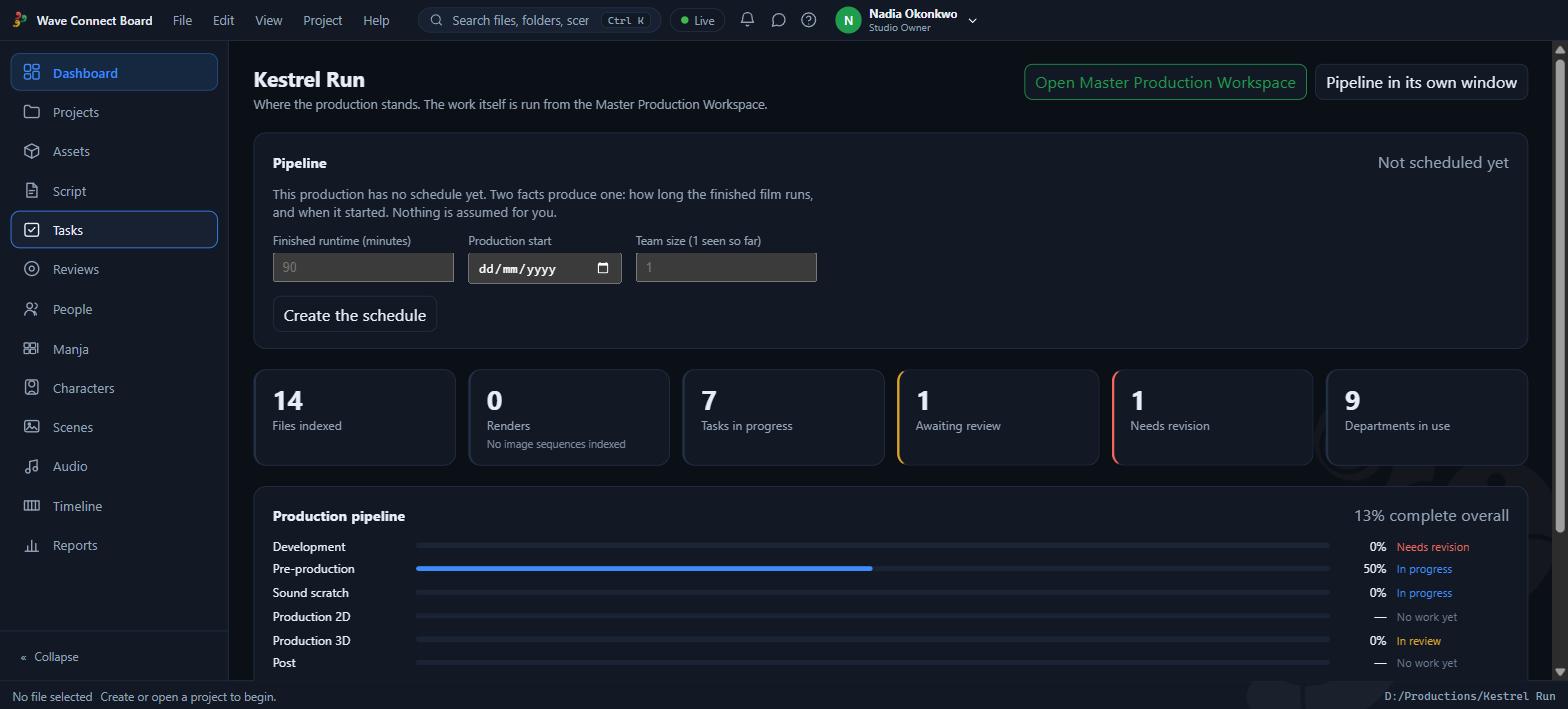
Windows desktop application. Your files stay on your disk — the board indexes them in place.
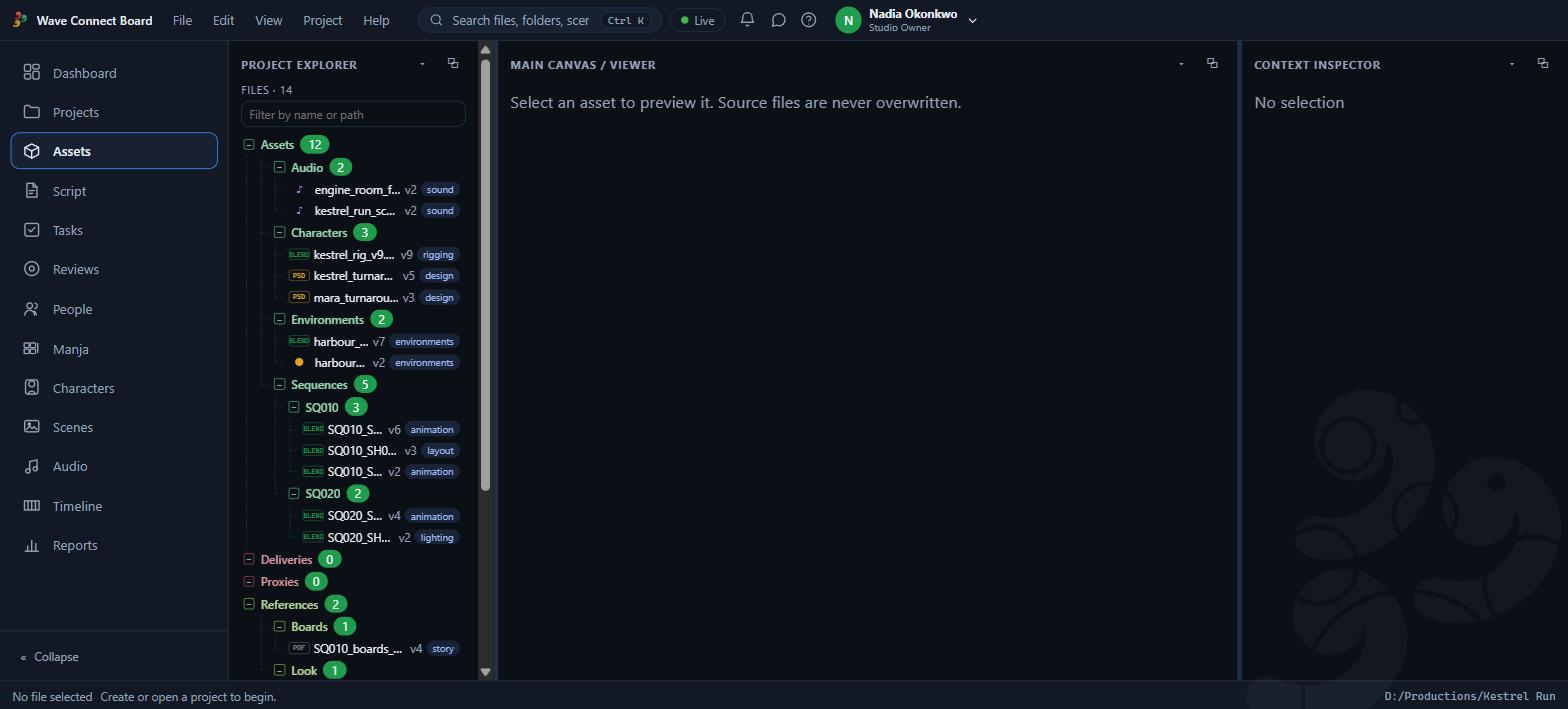
The production operating system that sits around the tools you already use. It reads your project folder where it already lives and keeps track of what every file is, which version is current, who may touch it, and every reference that went into it.
Windows desktop application. Your files stay on your disk — the board indexes them in place.
Not a cloud drive and not an asset manager that wants to own your files. It connects to a folder you already have and makes the production legible.
Point it at the project folder you already work in. Nothing is copied, moved or reorganised — it is indexed exactly where it sits, so every DCC tool still opens the same paths it always did.
One file is current, the rest are history rather than clutter. Supersede a version and everything pointing at it follows, because links hold the record's id and not the filename somebody typed.
The material a shot was made against travels with the shot. Six months later the question "what was this built from?" has an answer that did not depend on anyone remembering to write it down.
A real script editor with locked scene numbers, storyboard pages you can mark drawings out of, and a timeline that cuts them together. The story side and the file side are the same project, not two programs.
Role decides what a person may do; department decides whose work they are on. A sound artist reaches Sound's files and not Editorial's, and nobody can hand themselves authority they were not given.
Submit, review, revise, approve — with the approval recorded against the exact version that was approved. Nobody can approve their own work, and a revision round resets the quorum rather than inheriting it.
Deleting moves a file to a bin that lives outside the project folder, so reorganising or rebuilding the project cannot take the deleted work with it. Only a deliberate purge removes bytes, and never inside its protection window.
The program runs against your disk, not a server. Your internet going down is not your production going down — a signed-in copy keeps working offline, and your production files are never uploaded anywhere.
Every build is signed with the studio's key, and the board checks that signature before anything is applied — so a bad or tampered download is discarded rather than installed. It is checked for you, on the machine, every time.
Start free and stay free. Move up when the work does.
Every seat is a full Pro licence.
Core access, privacy, and update protections are part of the product, not upsells.
Stop paying and nothing is held hostage. You drop back to Basic, which is free and has no time limit — every project still opens, and everything you have made is still yours to export.
The installer is not code-signed yet, so Windows SmartScreen will warn on first run. Choose More info → Run anyway. The download comes from this page over HTTPS, and every build carries the studio's signature — which the board checks itself, on the machine, before it applies anything.
Once installed, the board checks this page's release feed each time it starts and updates itself in one click. Every build is signed with the studio's key and the signature is checked before anything is applied.
Installing, updating and uninstalling never touch your projects. Beta installs alongside the stable build with its own settings, so you can run both.
No. It indexes the folder in place and records facts about it. Deleting through the board moves a file to a bin outside the project rather than destroying it, and only a deliberate purge ever removes bytes.
The program drops to read-only. You keep every project, can open all of it and export your own work — you just cannot edit, import or delete until the licence is active again. Nothing is deleted and nothing is locked away.
Three machines on one account. You can release a machine from your account settings when you replace it, so a dead drive is not a lost seat.
Yes. A signed-in copy keeps working offline for up to 30 days before it needs to check in again. Your production files are never uploaded anywhere at any point.
Everything. The trial is the whole program for 14 days, not a reduced version, and no card is charged until it ends. In the last three days the program reminds you once a day; if you let it lapse, the copy moves to the free tier — the manga and animatic tools stay, every project still opens, and nothing you made is lost.
Your account and your licence live with Wave Animation Studio. Your production files do not — they stay on your disk and are never sent to us.
Point it at a folder you already have. Fourteen days, the whole program, nothing charged until the trial ends.